SKU: OT3331 Αριθμός είδους: AB080 EAN: 8720589817005

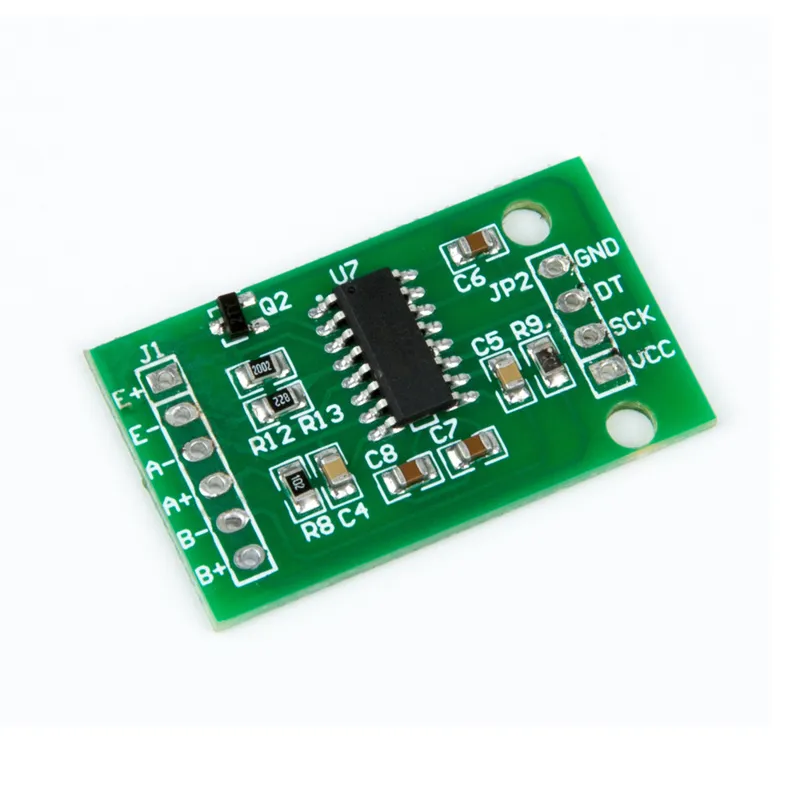
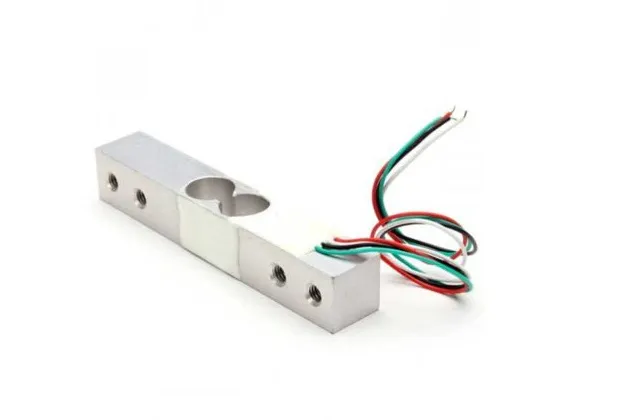
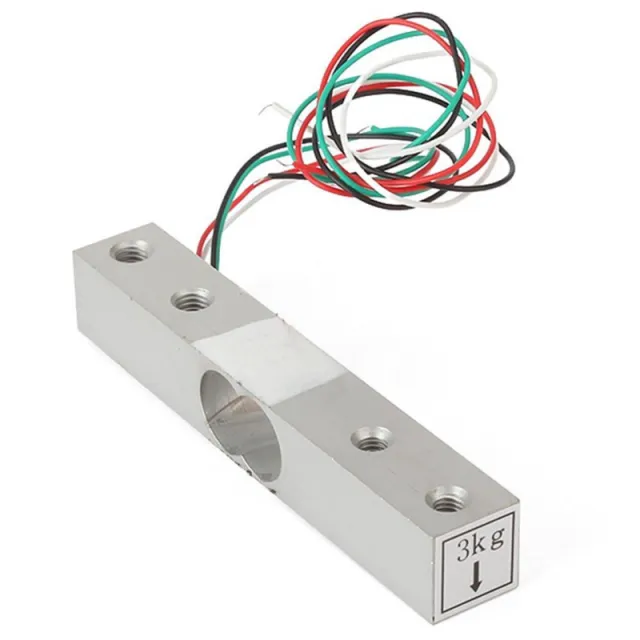
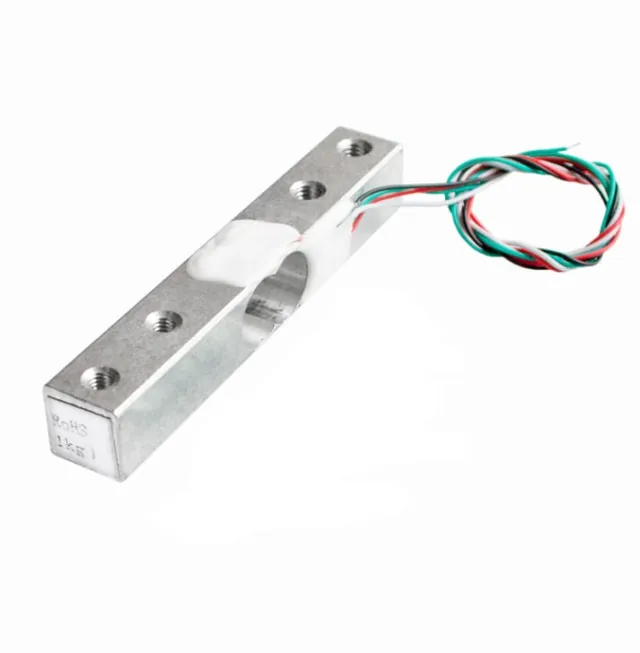
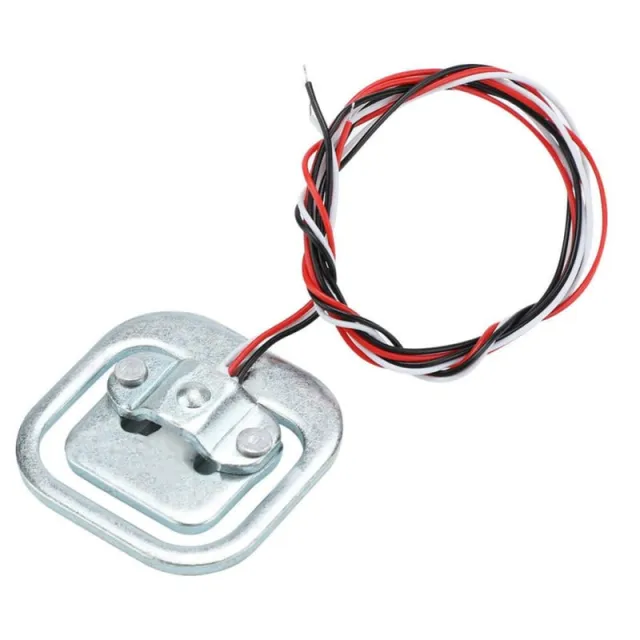
Η μονάδα χρησιμοποιεί το HX711 ως ελεγκτή, ένα chip μετατροπέα S/D 24-bit, ειδικά σχεδιασμένο για ψηφιακές ζυγαριές. Με αυτή τη μονάδα χρησιμοποιούνται ένας ή δύο αισθητήρες βάρους, οι οποίοι δίνουν μια μεταβλητή αντίσταση ανάλογα με το βάρος.
Με τον ενισχυτή HX711 Load Cell μπορείτε με απλό τρόπο να διαβάζετε αισθητήρες βάρους για να προσδιορίσετε το βάρος. Επειδή το διαφορικό σήμα ενός αισθητήρα βάρους είναι πολύ μικρό, δεν μπορείτε να τον συνδέσετε απευθείας σε ένα Arduino και πρέπει λοιπόν να χρησιμοποιήσετε αυτόν τον ενισχυτή.
Η μονάδα HX711 διαθέτει ADC 24-bit, ώστε να μπορεί να ανιχνεύει και τις μικρότερες διαφορές στο βάρος. Με τη βοήθεια βαρών βαθμονόμησης μπορείτε λοιπόν να φτιάξετε μια εξαιρετικά ακριβή ζυγαριά.
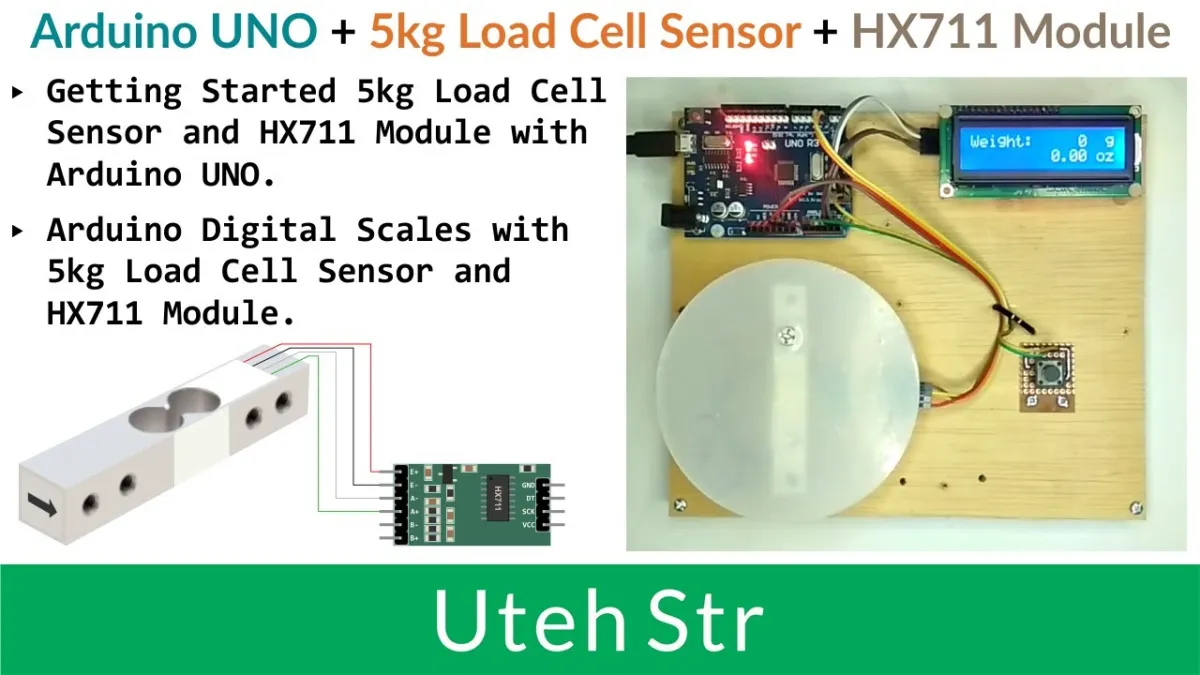
Με την αναπαραγωγή φορτώνεται το βίντεο από το YouTube.
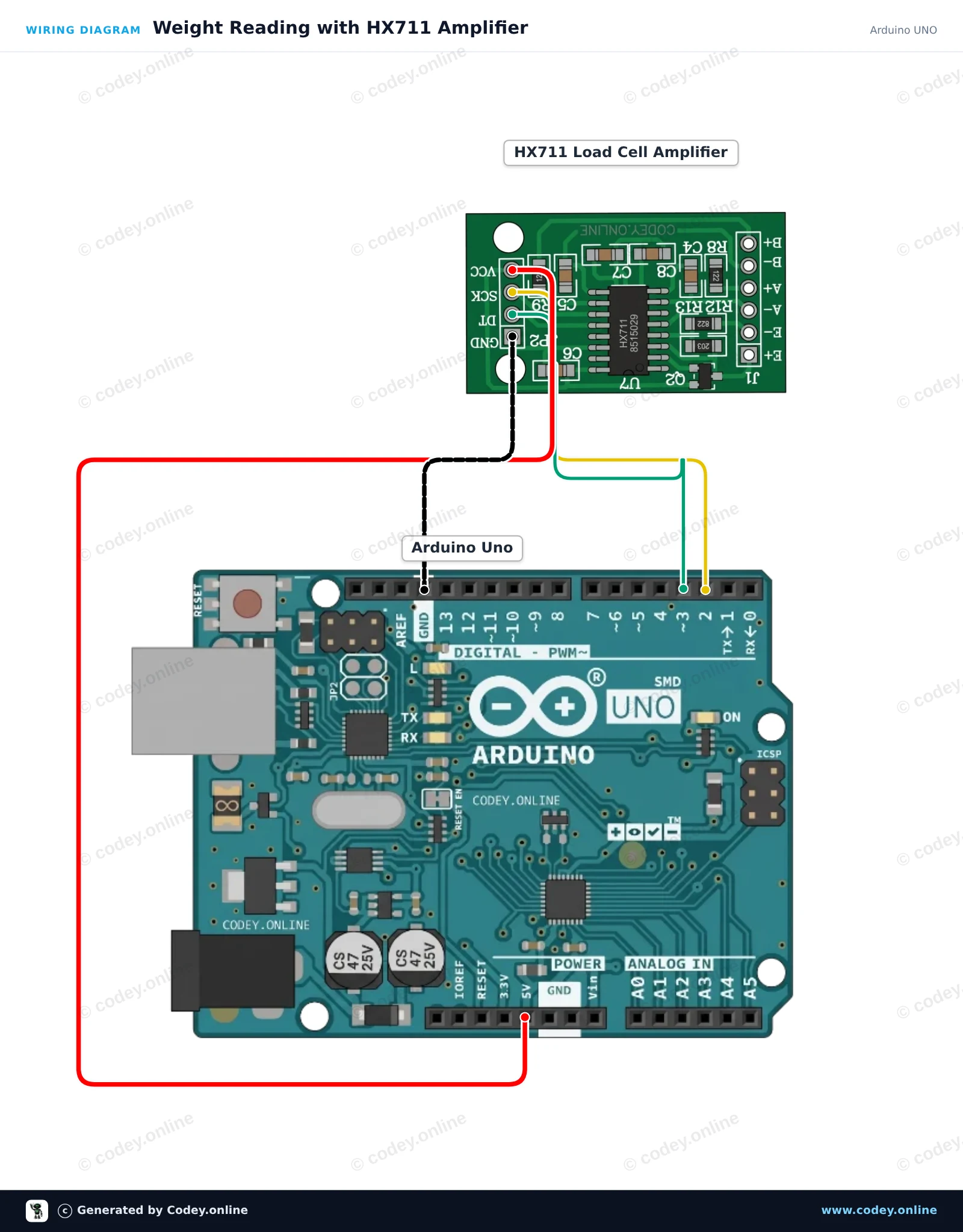
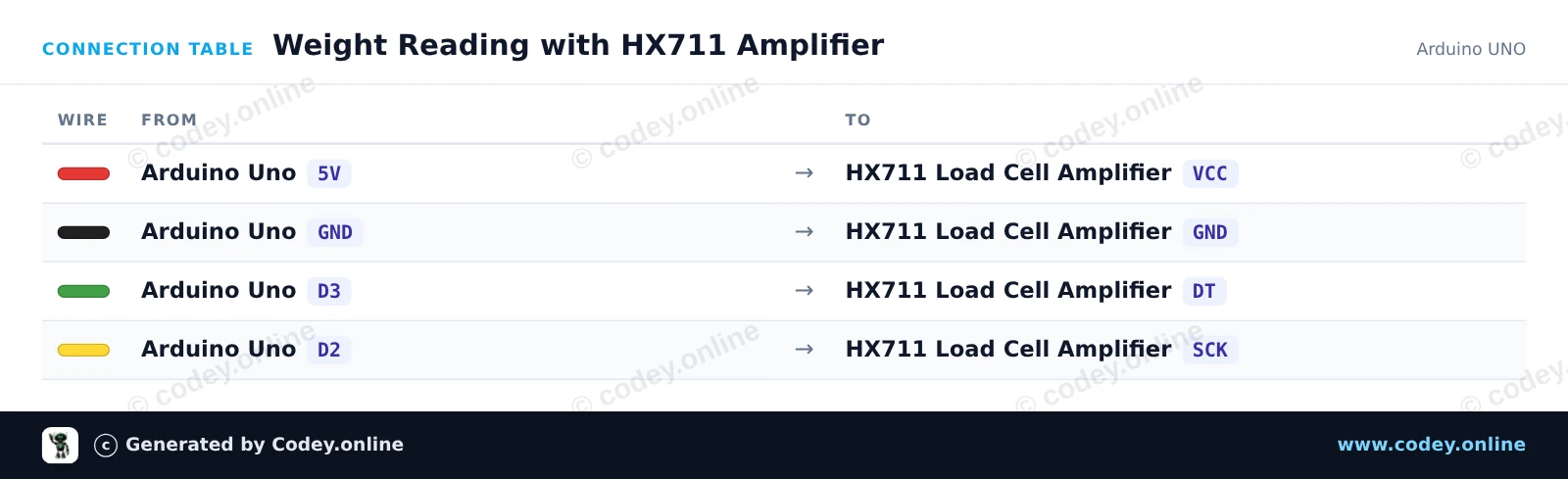
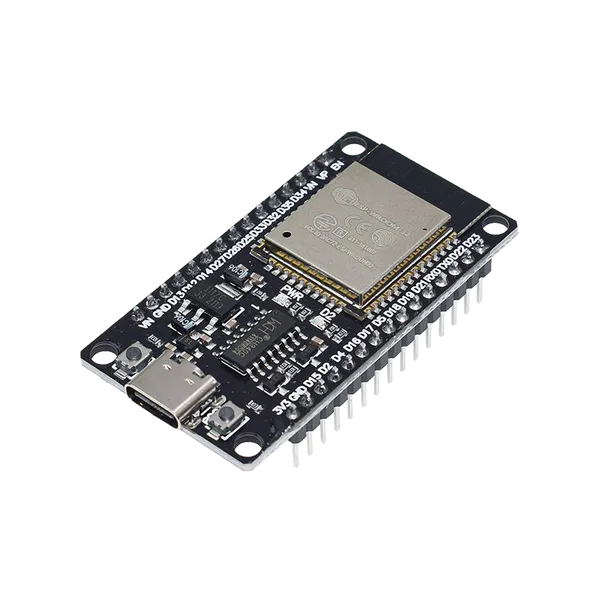
Έτσι συνδέεις το Μονάδα Ενισχυτή Κυψέλης Ζύγισης HX711 σε ένα Arduino UNO ή ESP32, με ένα παράδειγμα sketch που μπορείς να ανεβάσεις αμέσως.
Αυτό το παράδειγμα συνδέει ένα HX711 24-bit ADC module με το Arduino Uno για να διαβάζει δεδομένα βάρους από μια load cell. Στην εκκίνηση, το module κάνει ταρίρα (μηδενίζει) τη ζυγαριά και εμφανίζει συνεχώς μετρήσεις βάρους στο Serial Monitor.
/*
 * ==================================================================
 *  Generated by Codey.online  —  https://www.codey.online
 * ==================================================================
 *  Project   : Weight Reading with HX711 Amplifier
 *  Board     : Arduino UNO (arduino:avr:uno)
 *  Parts     : HX711 Load Cell Amplifier
 *  Libraries : HX711 Arduino Library 0.7.5
 *
 *  Codey Online is an AI-powered browser IDE for Arduino and ESP32.
 *  Describe your project and Codey writes the code, draws the wiring
 *  diagram and uploads it to your board, straight from the browser.
 *  This code is free to use, modify and share, without warranty.
 * ==================================================================
 */

#include "HX711.h"

const int DOUT_PIN = 3;
const int SCK_PIN = 2;

HX711 scale;

void setup() {
  Serial.begin(115200);
  Serial.println(F("HX711 Load Cell Demo"));

  scale.begin(DOUT_PIN, SCK_PIN);

  Serial.println(F("Taring... ensure no weight is on the scale."));
  scale.set_scale();
  scale.tare();
  Serial.println(F("Tare complete. Place weight on load cell."));
}

void loop() {
  if (scale.is_ready()) {
    long reading = scale.get_units(5);
    Serial.print(F("Reading: "));
    Serial.println(reading);
  } else {
    Serial.println(F("HX711 not detected."));
  }
  delay(500);
}Απαραίτητες βιβλιοθήκες: HX711 Arduino Library 0.7.5
Wiring diagram and example code generated by Codey.online — https://www.codey.online
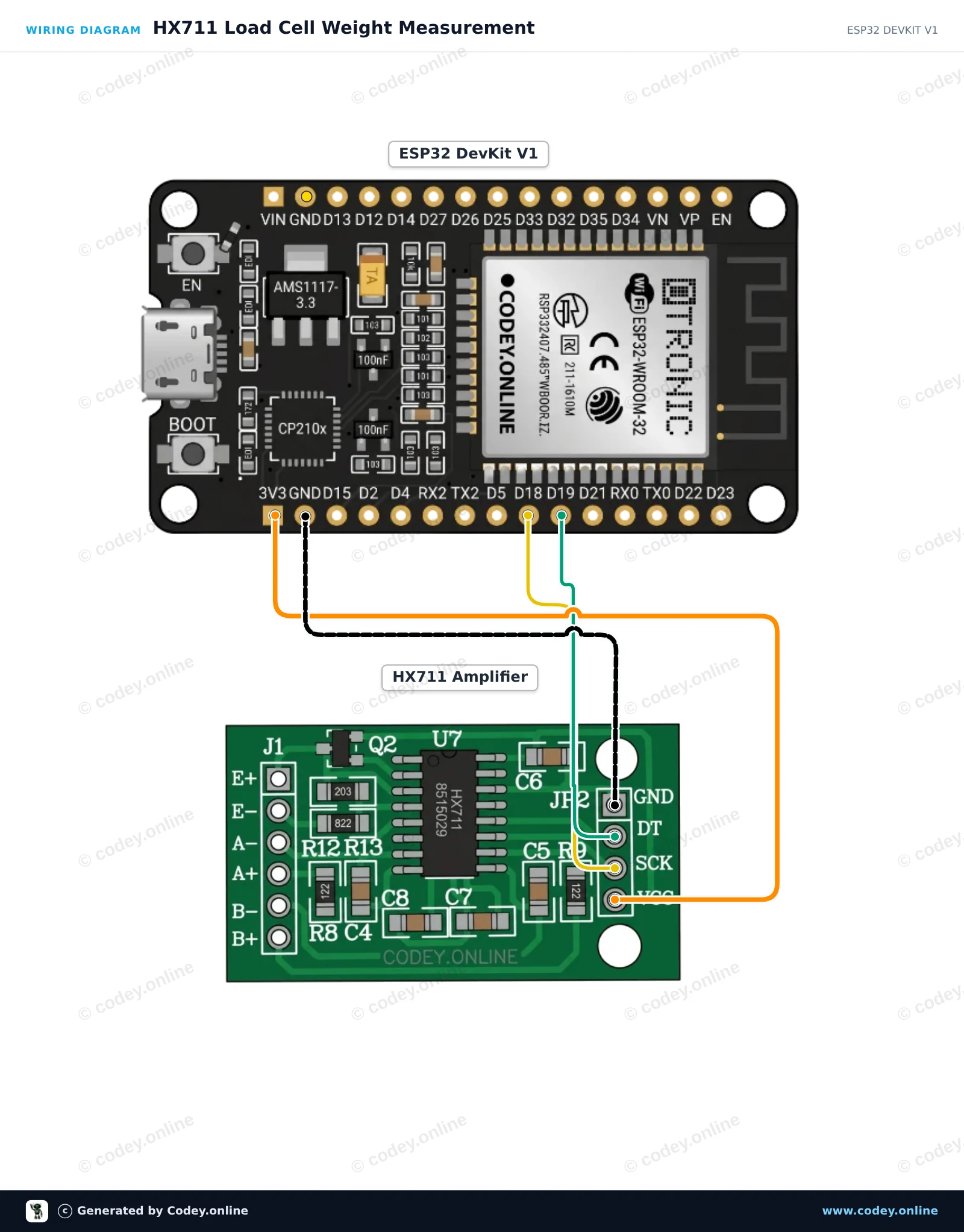
Αυτό το έργο συνδέει έναν ενισχυτή load cell HX711 24-bit με το ESP32. Με την εκκίνηση, το sketch κάνει tare στη ζυγαριά και στη συνέχεια εμφανίζει συνεχώς ακατέργαστες μετρήσεις της load cell στο Serial Monitor στα 115200 baud. Η τροφοδοσία του HX711 από 3.3V διασφαλίζει ότι τα επίπεδα σήματος είναι άμεσα συμβατά με τα GPIO του ESP32.
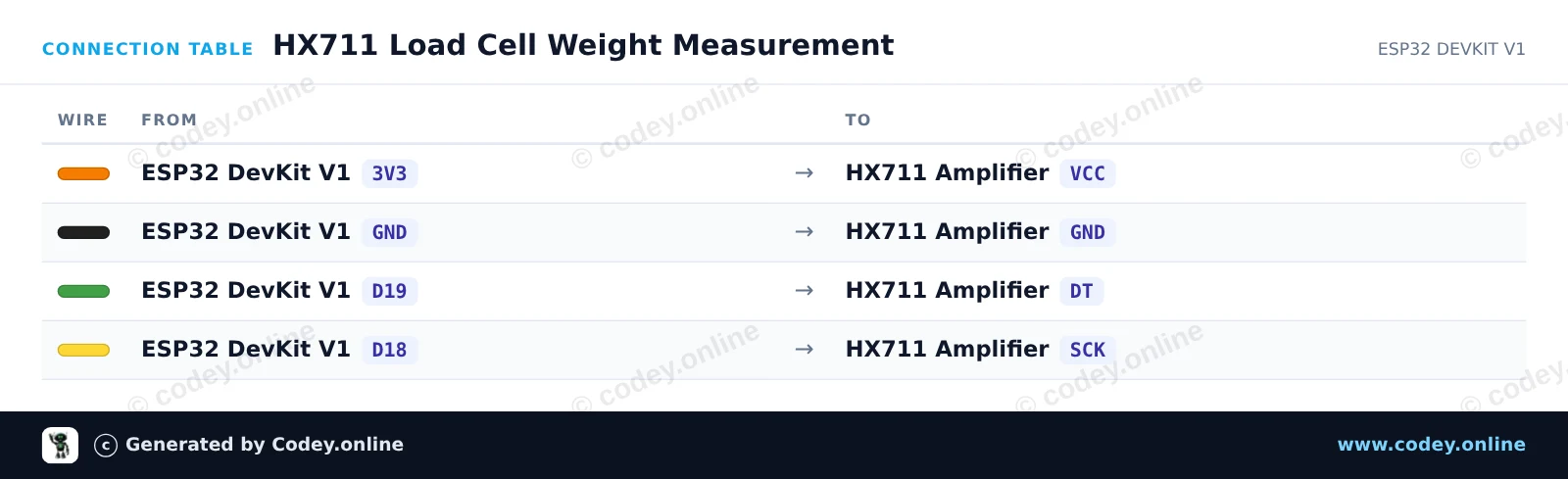
/*
 * ==================================================================
 *  Generated by Codey.online  —  https://www.codey.online
 * ==================================================================
 *  Project   : HX711 Load Cell Weight Measurement
 *  Board     : ESP32 DEVKIT V1 (esp32:esp32:esp32doit-devkit-v1)
 *  Parts     : HX711 Load Cell Amplifier
 *  Libraries : HX711 Arduino Library 0.7.5
 *
 *  Codey Online is an AI-powered browser IDE for Arduino and ESP32.
 *  Describe your project and Codey writes the code, draws the wiring
 *  diagram and uploads it to your board, straight from the browser.
 *  This code is free to use, modify and share, without warranty.
 * ==================================================================
 */

#include "HX711.h"

// Pin definitions (GPIO 19 for DOUT, GPIO 18 for SCK)
const int DOUT_PIN = 19;
const int SCK_PIN = 18;

HX711 scale;

void setup() {
  Serial.begin(115200);
  while (!Serial) { delay(10); }

  Serial.println("HX711 Weight Sensor Demo");
  scale.begin(DOUT_PIN, SCK_PIN);

  Serial.println("Initializing sensor...");
  delay(1000);

  if (scale.is_ready()) {
    scale.set_scale();    // Set default scale factor
    scale.tare();         // Reset the scale to 0 (tare)
    Serial.println("Tare complete. Place weight on the load cell.");
  } else {
    Serial.println("HX711 not detected. Check wiring.");
  }
}

void loop() {
  if (scale.is_ready()) {
    long reading = scale.get_units(5); // Average of 5 readings
    Serial.print("Raw reading: ");
    Serial.println(reading);
  } else {
    Serial.println("HX711 not ready.");
  }
  delay(500);
}Απαραίτητες βιβλιοθήκες: HX711 Arduino Library 0.7.5
Wiring diagram and example code generated by Codey.online — https://www.codey.online






 English
  Nederlands
  Frans
Frans  Deutsch
  Italiano
  Español
  Suomi
Suomi  Polski
  Dansk
Dansk  Български
  Čeština
  Hrvatski
  Svenska
  Aileen