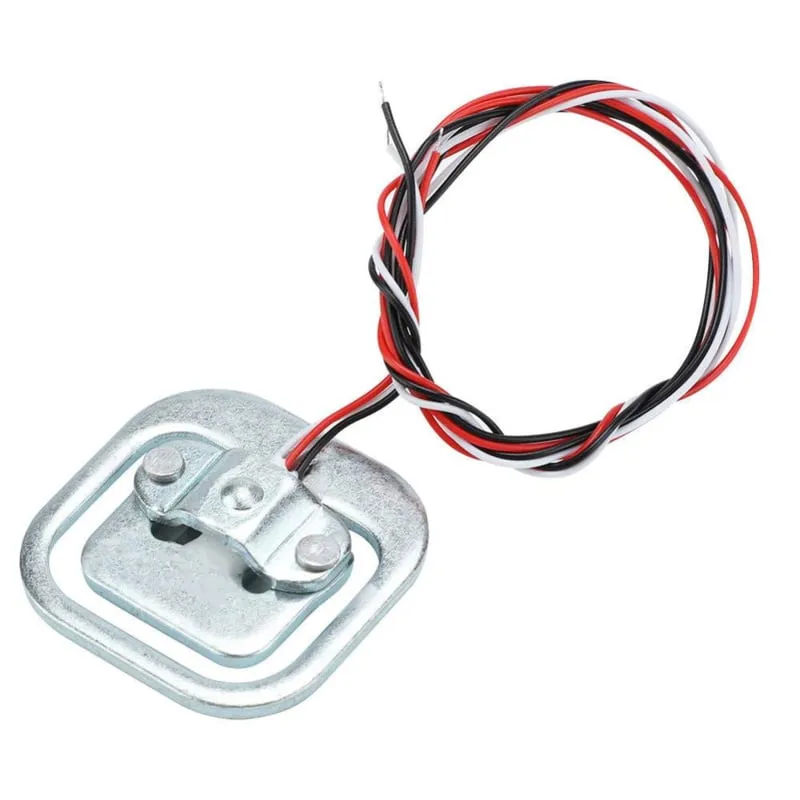
SKU: OT3243 Αριθμός είδους: AB098 EAN: 8720618231314

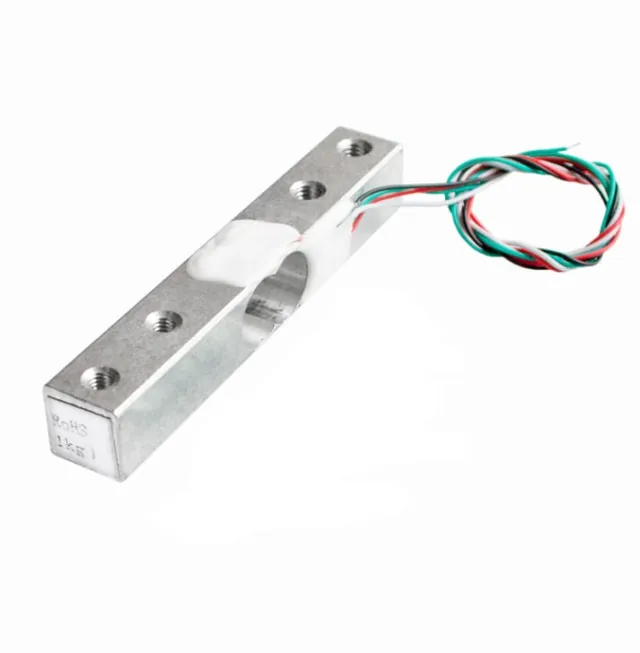
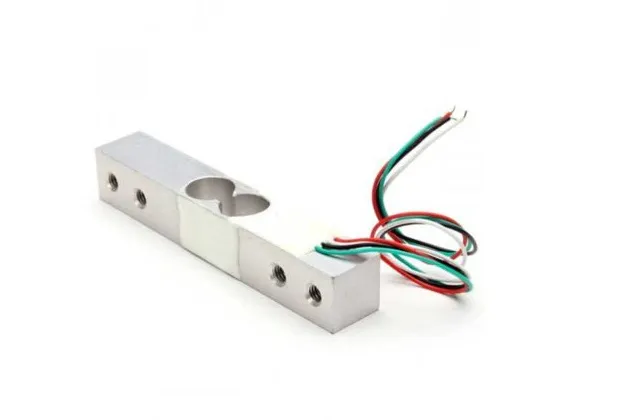
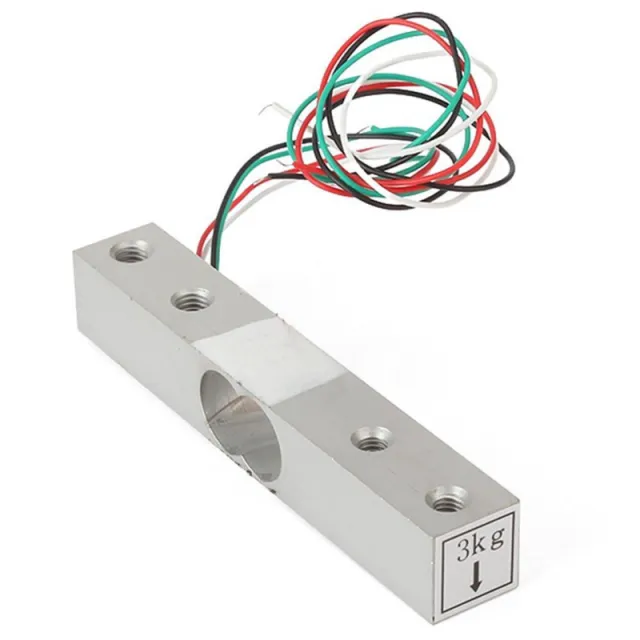
Υλικό: Aluminium
Χωρητικότητα: 50KG
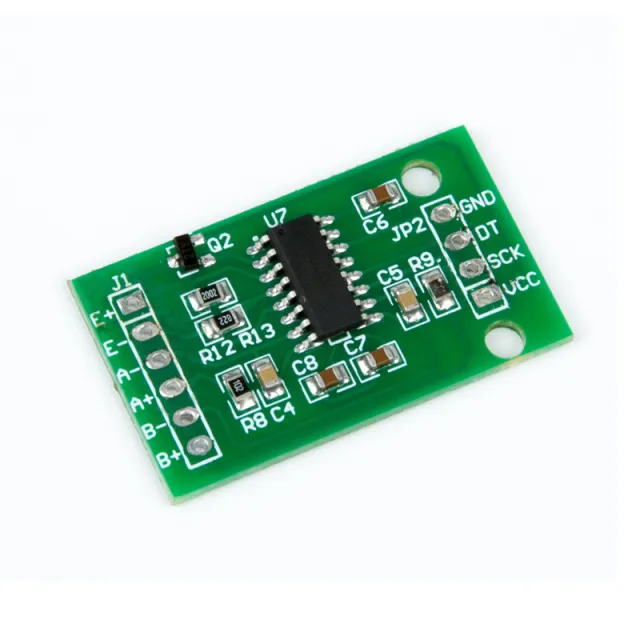
Μπορεί να χρησιμοποιηθεί με Arduino, ESP32 ή ESP8266 σε συνδυασμό με το HX711 Weegcelversterker.
Διαστάσεις
Μήκος: 3,88cm
Πλάτος: 3,88cm
Ύψος: 1,21cm
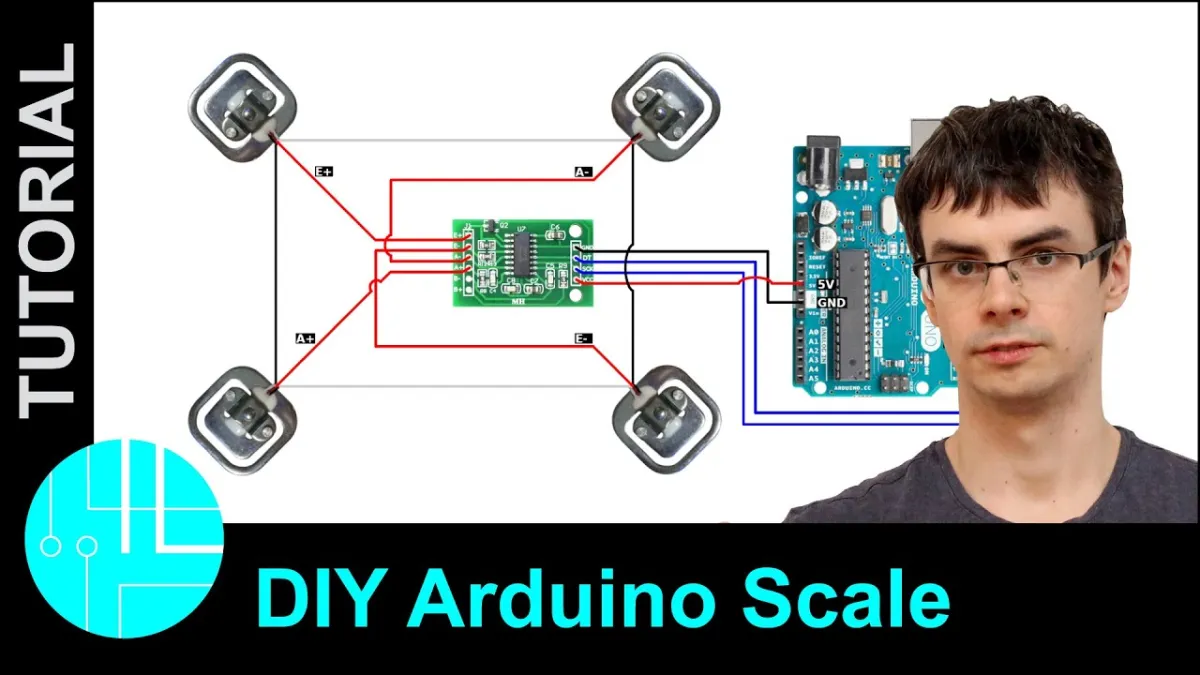
Με την αναπαραγωγή φορτώνεται το βίντεο από το YouTube.
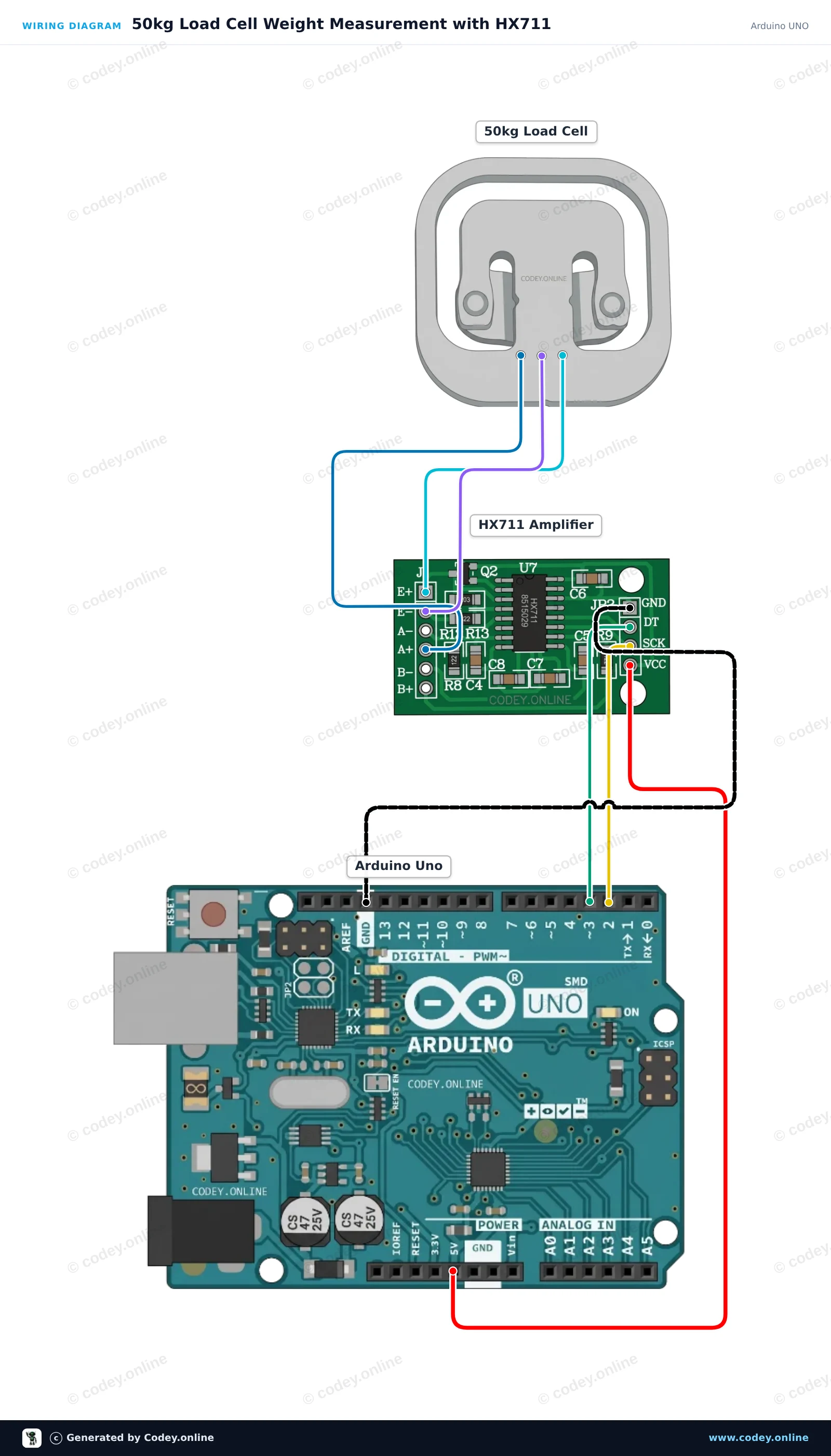
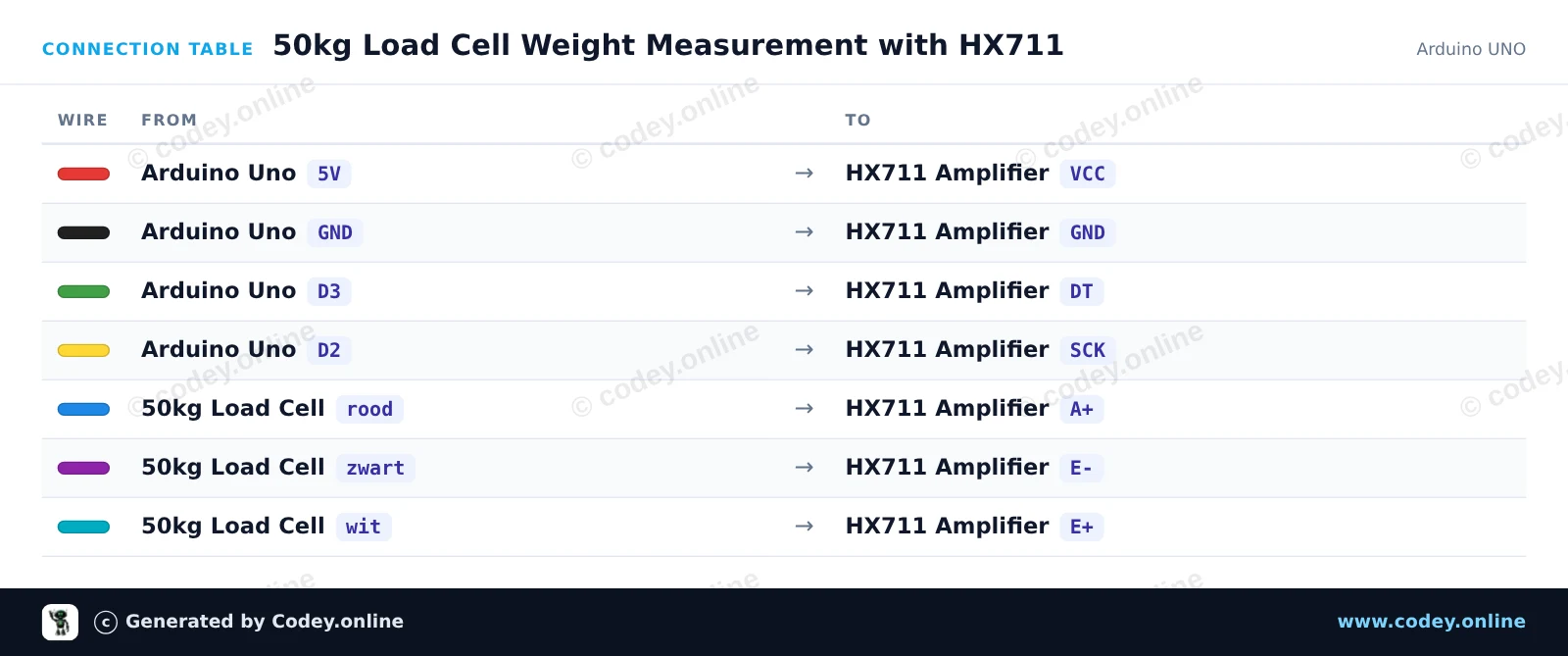
Έτσι συνδέεις το Αισθητήρας βάρους έως 50KG σε ένα Arduino UNO ή ESP32, με ένα παράδειγμα sketch που μπορείς να ανεβάσεις αμέσως.
Αυτό το project μετρά βάρος χρησιμοποιώντας μια load cell 50kg συνδεδεμένη σε ένα Arduino Uno μέσω ενός module ενίσχυσης HX711. Το sketch κάνει tare στη ζυγαριά κατά την εκκίνηση και εμφανίζει επανειλημμένα το μετρημένο βάρος στο Serial Monitor. Μπορείς να βαθμονομήσεις την ένδειξη ρυθμίζοντας τον συντελεστή βαθμονόμησης με ένα γνωστό βάρος.
/*
 * ==================================================================
 *  Generated by Codey.online  —  https://www.codey.online
 * ==================================================================
 *  Project   : 50kg Load Cell Weight Measurement with HX711
 *  Board     : Arduino UNO (arduino:avr:uno)
 *  Parts     : 50kg Load Cell Weight Sensor
 *  Libraries : HX711 Arduino Library 0.7.5
 *
 *  Codey Online is an AI-powered browser IDE for Arduino and ESP32.
 *  Describe your project and Codey writes the code, draws the wiring
 *  diagram and uploads it to your board, straight from the browser.
 *  This code is free to use, modify and share, without warranty.
 * ==================================================================
 */

#include "HX711.h"

const int LOADCELL_DOUT_PIN = 3;
const int LOADCELL_SCK_PIN = 2;

HX711 scale;

// Adjust this calibration factor after testing with a known reference weight
float calibration_factor = -7050.0;

void setup() {
  Serial.begin(115200);
  while (!Serial) {
    ; // Wait for serial port to connect
  }

  Serial.println(F("--- HX711 Load Cell Scale ---"));
  Serial.println(F("Initializing scale, do not place weight on the sensor..."));

  scale.begin(LOADCELL_DOUT_PIN, LOADCELL_SCK_PIN);
  scale.set_scale(calibration_factor);
  scale.tare(); // Reset the scale to 0

  Serial.println(F("Tare complete. Ready for measurements."));
}

void loop() {
  if (scale.is_ready()) {
    float weight = scale.get_units(5);
    Serial.print(F("Weight: "));
    Serial.print(weight, 2);
    Serial.println(F(" units"));
  } else {
    Serial.println(F("HX711 not ready."));
  }

  delay(500);
}Απαραίτητες βιβλιοθήκες: HX711 Arduino Library 0.7.5
Wiring diagram and example code generated by Codey.online — https://www.codey.online
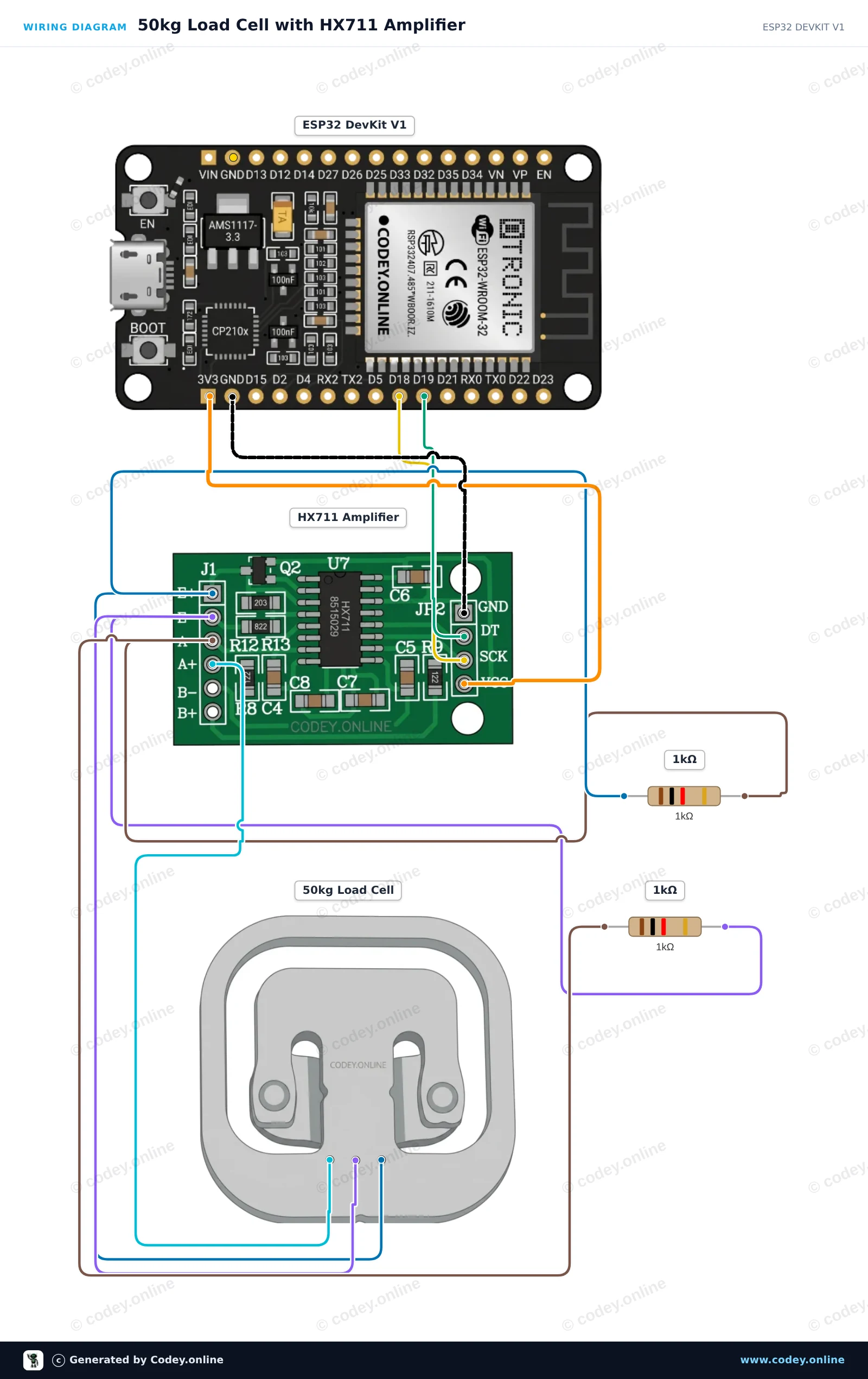
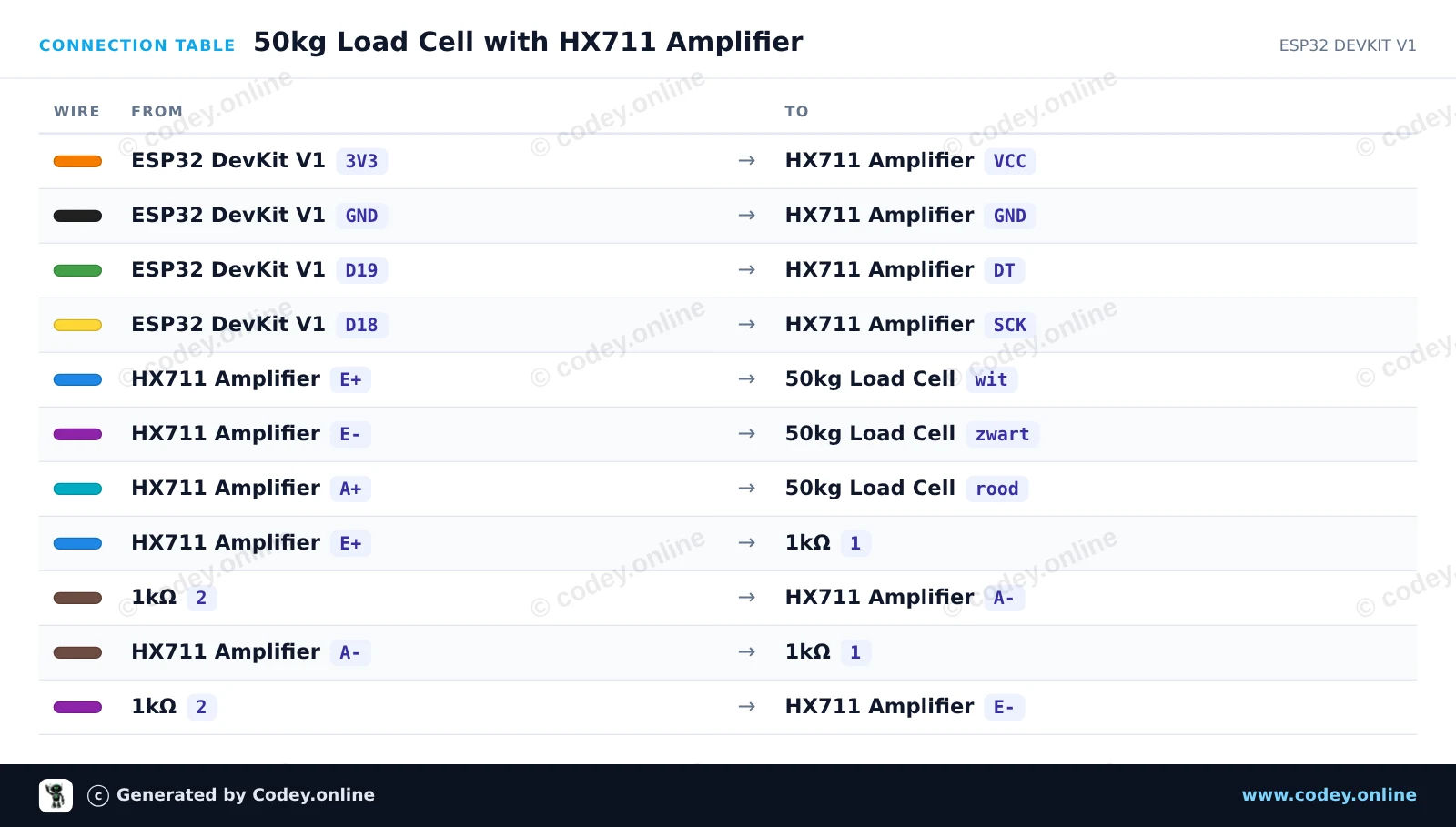
Αυτό το project διαβάζει τιμές βάρους από μία μόνο half-bridge load cell 50kg χρησιμοποιώντας έναν ενισχυτή HX711 και δύο αντιστάσεις 1kΩ για να ολοκληρωθεί η γέφυρα Wheatstone. Συνδέστε το κύκλωμα, ανεβάστε το sketch και ανοίξτε το Serial Monitor στα 115200 baud για να δείτε σε πραγματικό χρόνο τις μετρήσεις του αισθητήρα βάρους.
/*
 * ==================================================================
 *  Generated by Codey.online  —  https://www.codey.online
 * ==================================================================
 *  Project   : 50kg Load Cell with HX711 Amplifier
 *  Board     : ESP32 DEVKIT V1 (esp32:esp32:esp32doit-devkit-v1)
 *  Parts     : 50kg Load Cell Weight Sensor
 *  Libraries : HX711 Arduino Library 0.7.5
 *
 *  Codey Online is an AI-powered browser IDE for Arduino and ESP32.
 *  Describe your project and Codey writes the code, draws the wiring
 *  diagram and uploads it to your board, straight from the browser.
 *  This code is free to use, modify and share, without warranty.
 * ==================================================================
 */

#include "HX711.h"

// Pin definitions for HX711
const int DOUT_PIN = 19;
const int SCK_PIN = 18;

HX711 scale;

void setup() {
  Serial.begin(115200);
  Serial.println("50kg Load Cell Demo");

  scale.begin(DOUT_PIN, SCK_PIN);

  Serial.println("Taring scale... Please keep sensor unloaded.");
  delay(1000);
  scale.tare();
  Serial.println("Tare complete. Ready for readings!");
}

void loop() {
  if (scale.is_ready()) {
    long rawValue = scale.get_value(5);
    Serial.print("Raw Load Cell Value: ");
    Serial.println(rawValue);
  } else {
    Serial.println("HX711 not found or not ready.");
  }

  delay(500);
}Απαραίτητες βιβλιοθήκες: HX711 Arduino Library 0.7.5
Wiring diagram and example code generated by Codey.online — https://www.codey.online





 English
  Nederlands
  Frans
Frans  Deutsch
  Italiano
  Español
  Suomi
Suomi  Polski
  Dansk
Dansk  Български
  Čeština
  Hrvatski
  Svenska
  Aileen