SKU: OT821-C63 Αριθμός είδους: AA412 EAN: 8720589817036

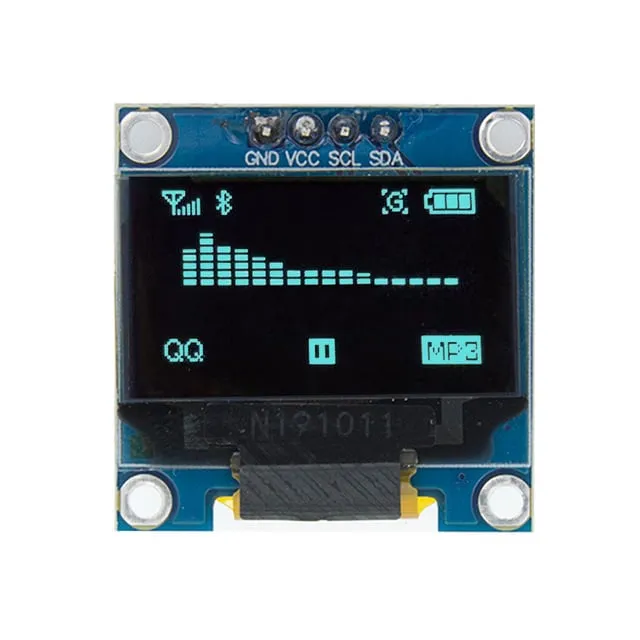
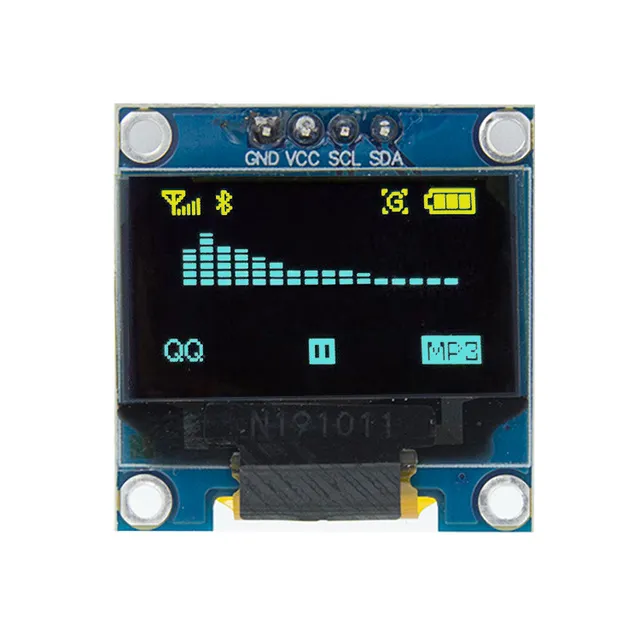
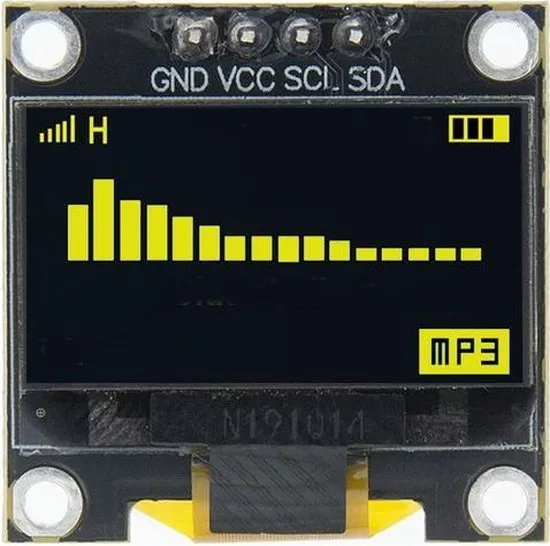
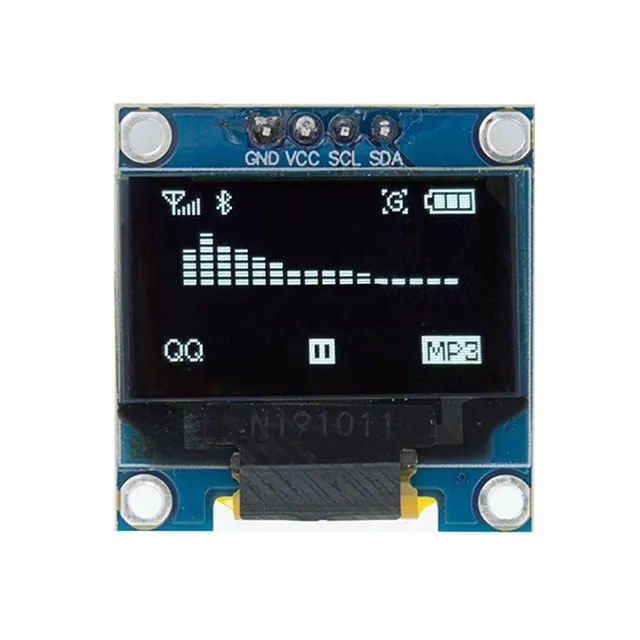
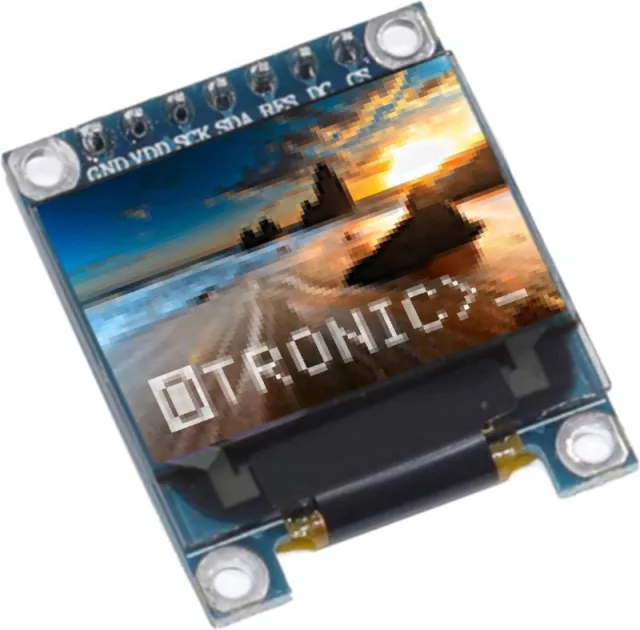
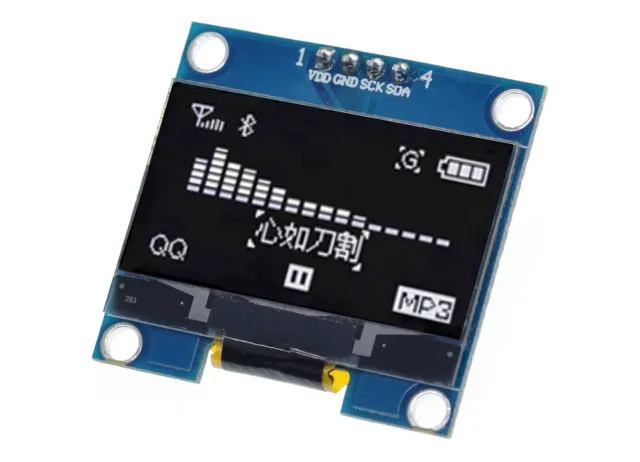
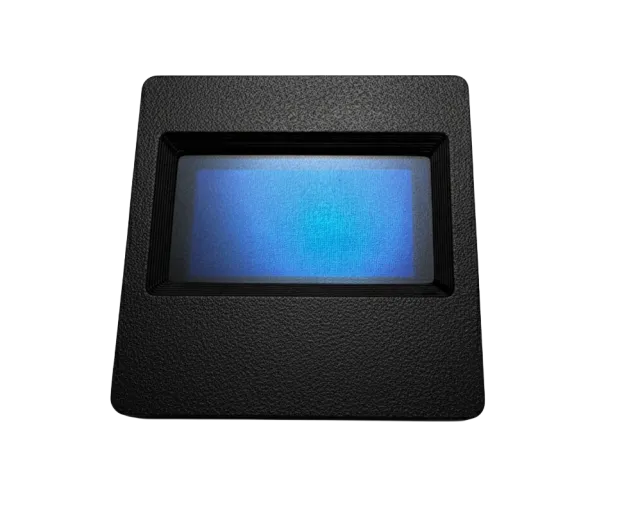
Μίνι οθονίτσα OLED 0,96 inch. Κρυστάλλινη εικόνα με ανάλυση 128x64 pixels.
Λειτουργεί με τροφοδοσία 3v-5v. Ιδανική για έργα Arduino ή ESP32 / ESP8266.
Οι διαστάσεις αυτής της πλακέτας είναι μόλις 26,1 x 26,1 x 3,2mm.
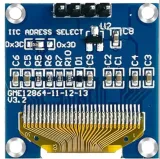
Υπάρχουν 2 i2c διευθύνσεις που μπορούν να επιλεγούν αλλάζοντας την αντίσταση στο πίσω μέρος.
Οι διαθέσιμες διευθύνσεις είναι: 0x3C (default) και x3D
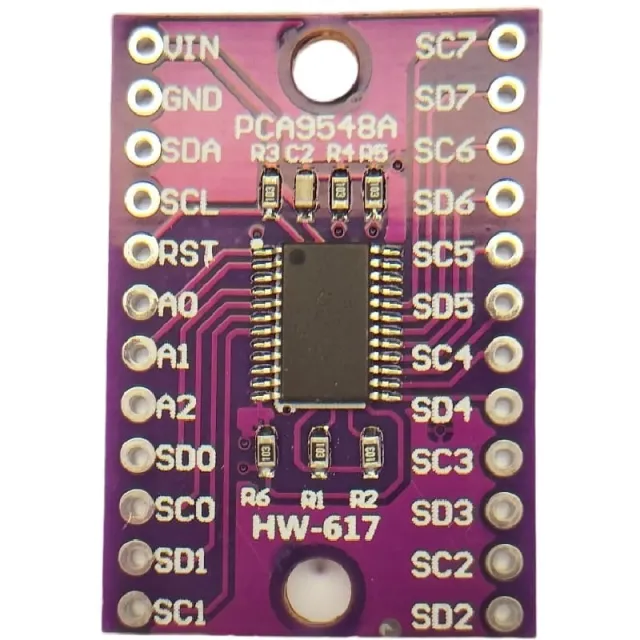
Αν θέλετε να ελέγξετε πολλαπλές OLED οθόνες ή αν δεν θέλετε να κολλήσετε το SMD, τότε μέσω ενός i2c mutliplexer μπορείτε επίσης να ελέγξετε έως και 8x i2C οθόνες με την ίδια διεύθυνση.
Διαστάσεις
Μήκος: 2,61cm
Πλάτος: 2,61cm
Ύψος: 0,32cm
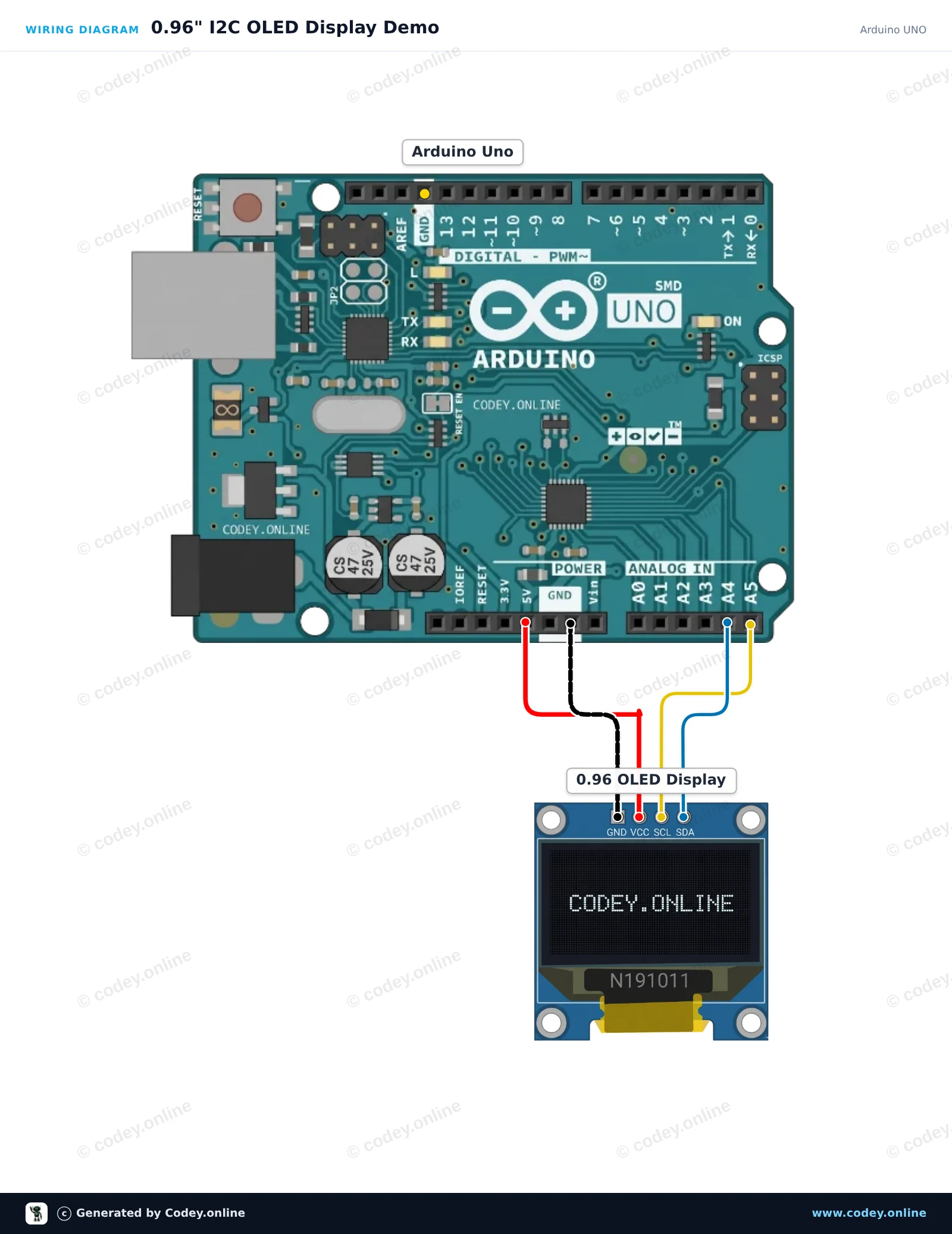
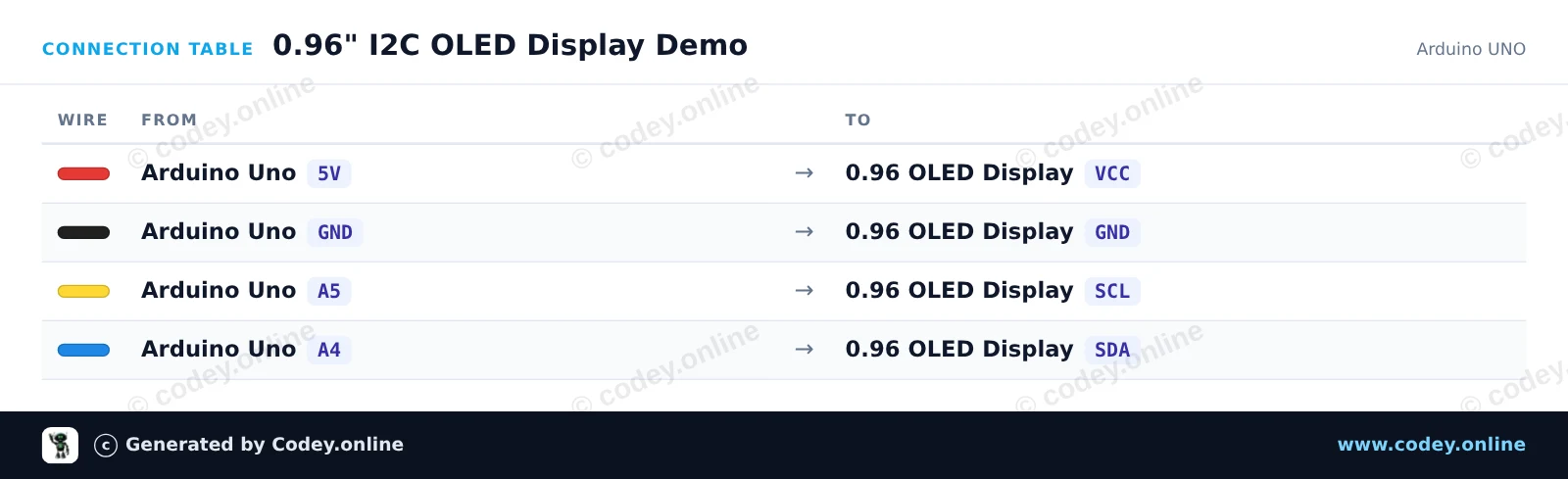
Έτσι συνδέεις το Μίνι OLED οθόνη μπλε 0.96 inch 128x64 I2C σε ένα Arduino UNO ή ESP32, με ένα παράδειγμα sketch που μπορείς να ανεβάσεις αμέσως.
Συνδέστε την οθόνη OLED I2C 0,96 ιντσών απευθείας στα I2C pins του Arduino Uno (A4 για SDA, A5 για SCL). Το sketch αρχικοποιεί την οθόνη χρησιμοποιώντας τη βιβλιοθήκη U8g2 και ενημερώνει έναν μετρητή στην οθόνη κάθε δευτερόλεπτο.
/*
 * ==================================================================
 *  Generated by Codey.online  —  https://www.codey.online
 * ==================================================================
 *  Project   : 0.96" I2C OLED Display Demo
 *  Board     : Arduino UNO (arduino:avr:uno)
 *  Parts     : OLED Display 0.96 inch
 *  Libraries : U8g2 2.36.19
 *
 *  Codey Online is an AI-powered browser IDE for Arduino and ESP32.
 *  Describe your project and Codey writes the code, draws the wiring
 *  diagram and uploads it to your board, straight from the browser.
 *  This code is free to use, modify and share, without warranty.
 * ==================================================================
 */

#include <Wire.h>
#include <U8g2lib.h>

// Initialize 128x64 SSD1306 I2C display in page-buffer mode (low RAM usage)
U8G2_SSD1306_128X64_NONAME_1_HW_I2C u8g2(U8G2_R0, /* reset=*/ U8X8_PIN_NONE);

unsigned int counter = 0;

void setup() {
  Serial.begin(115200);
  u8g2.begin();
  Serial.println(F("OLED display initialized."));
}

void loop() {
  u8g2.firstPage();
  do {
    // Header
    u8g2.setFont(u8g2_font_ncenB08_tr);
    u8g2.drawStr(0, 12, "0.96\" OLED Demo");
    u8g2.drawHLine(0, 16, 128);

    // Content
    u8g2.setFont(u8g2_font_6x10_tf);
    u8g2.drawStr(0, 32, "Arduino UNO + I2C");

    u8g2.drawStr(0, 48, "Count: ");
    u8g2.setCursor(45, 48);
    u8g2.print(counter);

    u8g2.drawStr(0, 62, "Status: Running");
  } while (u8g2.nextPage());

  Serial.print(F("Counter: "));
  Serial.println(counter);

  counter++;
  delay(1000);
}Απαραίτητες βιβλιοθήκες: U8g2 2.36.19
Wiring diagram and example code generated by Codey.online — https://www.codey.online
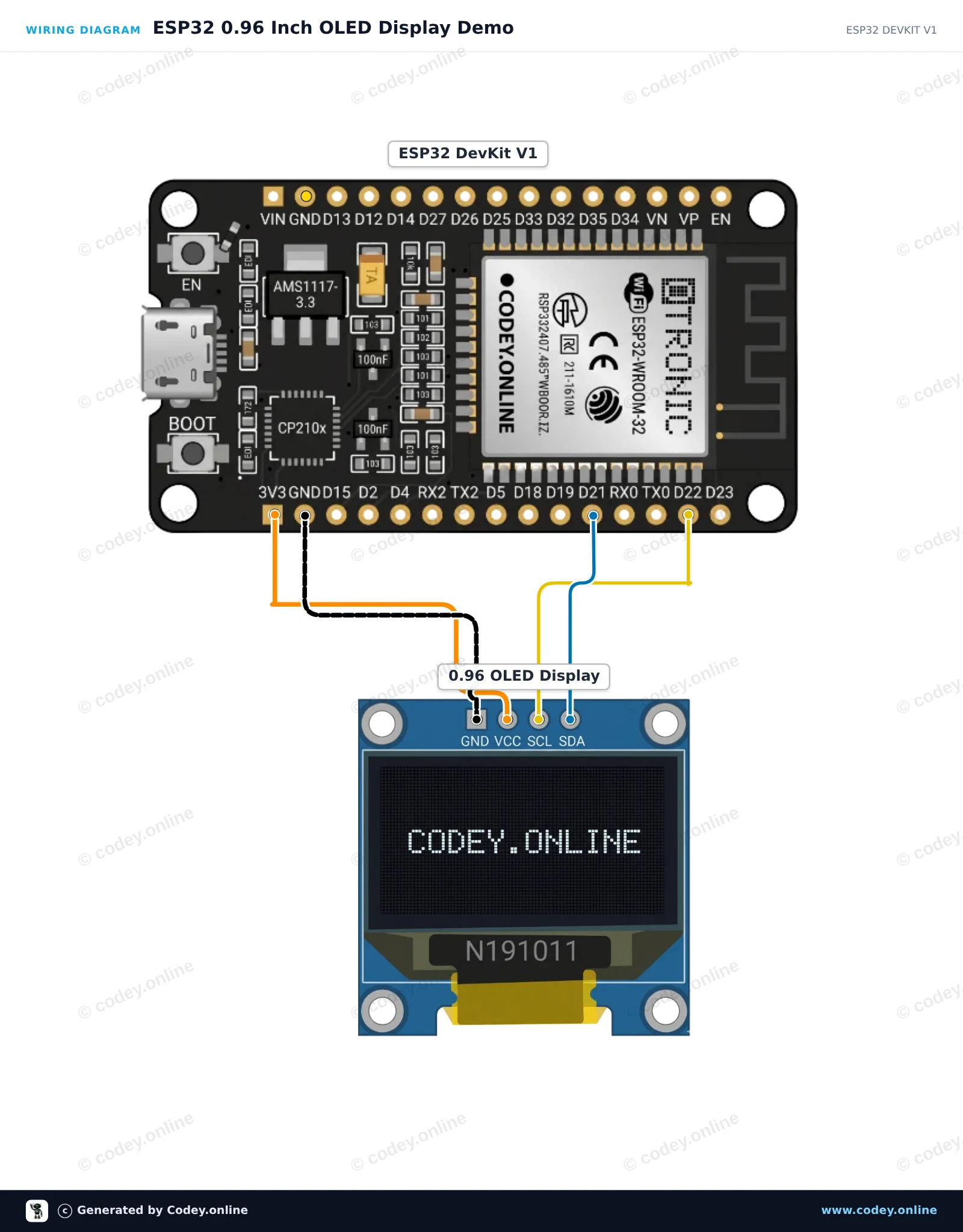
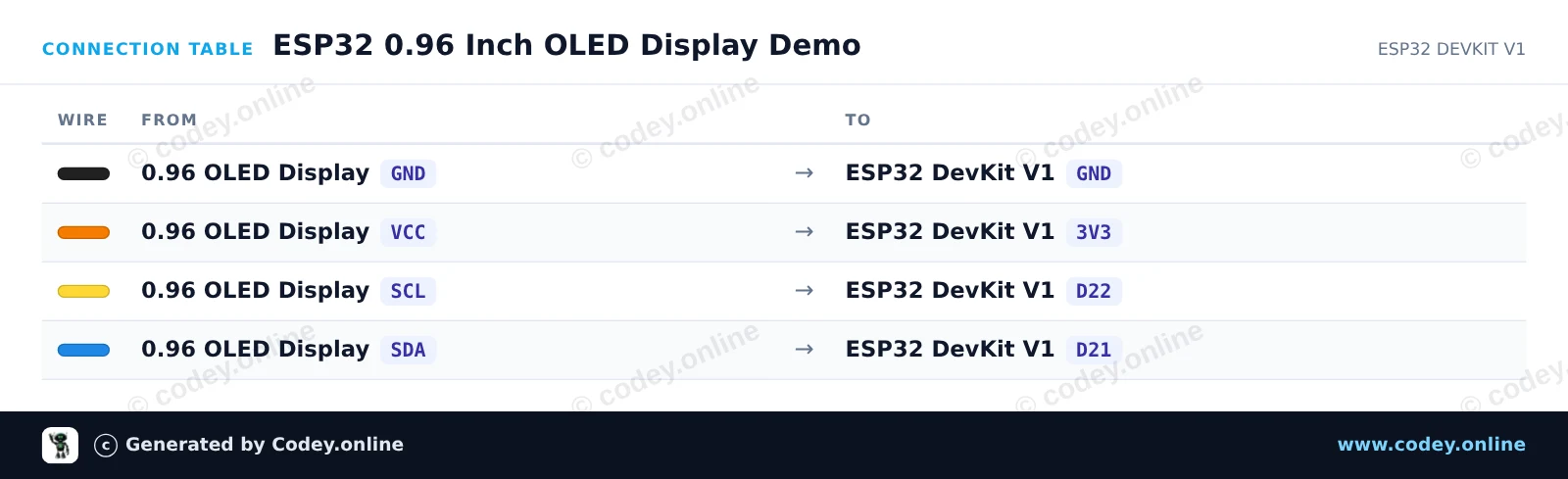
Αυτό το έργο συνδέει μια I2C οθόνη OLED SSD1306 0.96-inch με το ESP32. Αρχικοποιεί την οθόνη και ενημερώνει συνεχώς έναν μετρητή uptime στην οθόνη και μια οπτική μπάρα προόδου. Συνδέστε την οθόνη απευθείας στο ESP32 χρησιμοποιώντας τροφοδοσία 3.3V και τις προεπιλεγμένες ακίδες I2C.
/*
 * ==================================================================
 *  Generated by Codey.online  —  https://www.codey.online
 * ==================================================================
 *  Project   : ESP32 0.96 Inch OLED Display Demo
 *  Board     : ESP32 DEVKIT V1 (esp32:esp32:esp32doit-devkit-v1)
 *  Parts     : OLED Display 0.96 inch
 *  Libraries : Adafruit SSD1306 2.5.16, Adafruit GFX Library 1.12.6
 *
 *  Codey Online is an AI-powered browser IDE for Arduino and ESP32.
 *  Describe your project and Codey writes the code, draws the wiring
 *  diagram and uploads it to your board, straight from the browser.
 *  This code is free to use, modify and share, without warranty.
 * ==================================================================
 */

#include <Wire.h>
#include <Adafruit_GFX.h>
#include <Adafruit_SSD1306.h>

#define SCREEN_WIDTH 128
#define SCREEN_HEIGHT 64
#define OLED_RESET    -1
#define SCREEN_ADDRESS 0x3C

Adafruit_SSD1306 display(SCREEN_WIDTH, SCREEN_HEIGHT, &Wire, OLED_RESET);

int counter = 0;

void setup() {
  Serial.begin(115200);

  // Initialize I2C on ESP32 default pins: SDA=21, SCL=22
  Wire.begin(21, 22);

  if (!display.begin(SSD1306_SWITCHCAPVCC, SCREEN_ADDRESS)) {
    Serial.println(F("SSD1306 allocation failed"));
    while (true); // Halt
  }

  display.clearDisplay();
  display.setTextColor(SSD1306_WHITE);
  display.setTextSize(1);
  display.setCursor(10, 20);
  display.println(F("ESP32 OLED Demo"));
  display.display();
  delay(2000);
}

void loop() {
  display.clearDisplay();

  // Header
  display.setTextSize(1);
  display.setCursor(0, 0);
  display.println(F("ESP32 Status:"));
  display.drawLine(0, 10, 128, 10, SSD1306_WHITE);

  // Counter display
  display.setCursor(0, 20);
  display.print(F("Uptime (s): "));
  display.setTextSize(2);
  display.setCursor(0, 32);
  display.print(counter);

  // Progress bar outline and fill
  int barWidth = (counter % 60) * 128 / 60;
  display.drawRect(0, 54, 128, 8, SSD1306_WHITE);
  display.fillRect(0, 54, barWidth, 8, SSD1306_WHITE);

  display.display();

  Serial.print(F("Counter: "));
  Serial.println(counter);

  counter++;
  delay(1000);
}Απαραίτητες βιβλιοθήκες: Adafruit SSD1306 2.5.16, Adafruit GFX Library 1.12.6
Wiring diagram and example code generated by Codey.online — https://www.codey.online





 English
  Nederlands
  Frans
Frans  Deutsch
  Italiano
  Español
  Suomi
Suomi  Polski
  Dansk
Dansk  Български
  Čeština
  Hrvatski
  Svenska
  Aileen